
Disclosure: Wallstores is reader-supported. As an Amazon Associate, we earn from qualifying purchases made through links on this page, at no extra cost to you. Learn more.
How We Choose the Products We Recommend
We don’t have a warehouse full of gear to physically put through its paces — what we do instead is disciplined research. For every guide, we start with the manufacturer’s published specifications and compare them directly against competing models in the same price range. We track real, current pricing across retailers, not list prices that never actually apply, so the numbers in our comparisons reflect what you’d actually pay today. And we read, in bulk, through verified customer reviews and independent expert coverage for each product, looking for recurring complaints, common praise, and the patterns a single glossy product page won’t tell you.
Where we’ve personally bought and used a product ourselves — currently true for many of the kitchen items we cover — we say so directly in the review, and that firsthand experience shapes what we highlight. For everything else, our pros-and-cons calls come from that cross-referenced research process, not a single source or a rewritten spec sheet. We revisit guides periodically as prices shift and new models launch, and we link to multiple retailers where possible so you’re not stuck with just one option.

Ugo Daniel researches, compares, and writes the buying guides on Wallstores, cross-checking manufacturer specs, verified pricing, and real customer feedback across tech, home, fitness, and pet categories. He’s personally bought and used many of the kitchen appliances featured on the site, and draws on that firsthand experience in those reviews.
Last updated: November 2026 · Written by Ugo Daniel, founder of Wallstores
A smart home doesn’t have to start with a big, expensive system. The best setups are built a few pieces at a time, starting with the devices that solve a real everyday annoyance. This guide explains how to choose a platform, what to buy first, what to leave until later, and the mistakes that cause most smart home frustration.
Step 1: Pick Your Platform First
Before you buy anything, decide which voice assistant and app will control your home. Most devices work with more than one, but your experience is smoother when everything lives in one place.
| Platform | Best if you… |
|---|---|
| Amazon Alexa | Want the widest choice of compatible devices and affordable Echo speakers |
| Google Home | Use Android and Google services, and like asking questions out loud |
| Apple Home | Everyone in the home uses an iPhone, and you value privacy features |
Look for “Matter” on the box. Matter is a shared smart home standard backed by Amazon, Google, Apple and Samsung. A Matter-certified device works with all of these platforms, so you won’t be locked in if you change phones or assistants later.
Step 2: What to Buy First
This order gives you useful results quickly and builds on itself.
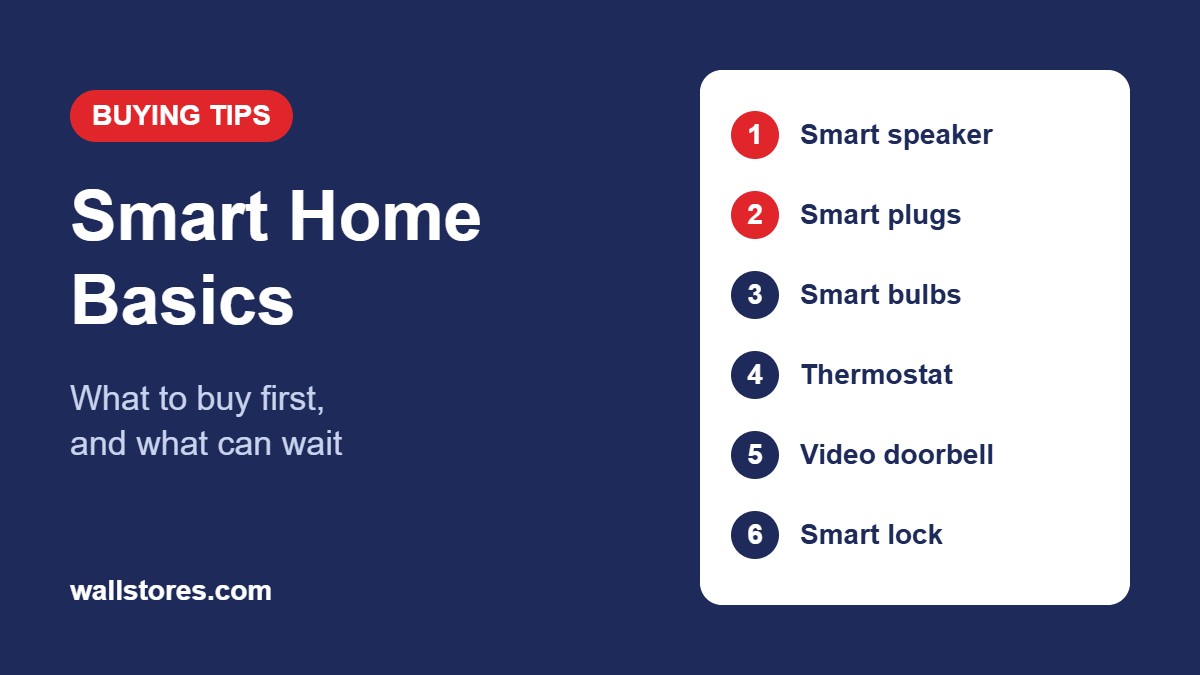
- A smart speaker or display. It gives you voice control, and many act as a home hub. If you already have one, skip ahead.
- Smart plugs. The cheapest way to start. Put a lamp, fan or holiday lights on a schedule, or control them by voice. Our smart plug buying guide explains what to check.
- Smart bulbs for one or two lamps. Dimming and warm-to-cool light make a noticeable difference in living rooms and bedrooms.
- A smart thermostat. Usually the device that pays for itself. ENERGY STAR estimates certified smart thermostats can save around 8% on heating and cooling bills. See our smart thermostat picks.
- A video doorbell. See who’s at the door and get package alerts from anywhere. Compare options in our smart doorbell guide.
- A smart lock. Useful for families, renters with frequent guests, and anyone who forgets keys. Our smart lock guide covers what fits your door.
What to Leave Until Later
- Whole-house lighting. Replacing every bulb or switch is expensive. Start with the rooms you use most.
- Complex automations. Learn what you actually use for a few weeks before building elaborate routines.
- Extra hubs. Many devices now connect over Wi-Fi or Matter without a separate hub. Only buy one if a device specifically needs it.
Check Your Wi-Fi Before You Start
- Many smart plugs and bulbs connect only to 2.4 GHz Wi-Fi. If setup fails, see whether your router lets you separate the 2.4 GHz and 5 GHz networks during setup.
- Devices far from the router, such as doorbells and garage sensors, need a strong signal. A mesh Wi-Fi system fixes most dead spots.
- Dozens of devices can strain older routers. If you plan to grow, a newer router helps.
Keep It Secure and Private
- Use a strong, unique password for each smart home app, and turn on two-factor sign-in.
- Keep device firmware updated. Most apps can do this automatically.
- Consider putting smart devices on your router’s guest network, separate from your computers and phones.
- Buy from established brands that publish security updates. Very cheap, unknown brands may stop supporting their devices.
- Check camera and doorbell privacy settings, including who can view recordings and how long they’re kept.
Watch for Subscriptions
Most devices work without a monthly fee, but video doorbells and security cameras often need a subscription to save and review recorded clips. Check what’s included for free before you buy, and count any subscription in the real cost.
Common Mistakes to Avoid
- Mixing platforms randomly. Devices that only work with one app end up scattered across several apps.
- Putting smart bulbs on a switched-off circuit. If someone turns off the wall switch, the bulb loses power and can’t be controlled. Use smart switches for those fixtures, or leave the switch on.
- Ignoring thermostat wiring. Many smart thermostats need a “C-wire” for constant power. Check your current thermostat’s wiring before you order.
- Using smart plugs on space heaters. Plug heaters directly into the wall instead.
- Buying everything at once. Start small, see what you use, and add from there.
A Simple Starter Plan
| Budget | What to get |
|---|---|
| Under $50 | Two smart plugs for lamps, using a speaker or phone you already have |
| $100–$250 | Smart speaker, smart plugs and two smart bulbs |
| $250–$500 | Add a smart thermostat or a video doorbell |
| $500+ | Add a smart lock and sensors, and expand lighting room by room |
Frequently Asked Questions
Do I need a hub?
Usually not anymore. Most Wi-Fi and Matter devices connect directly. Some smart speakers and displays also act as hubs for devices that need one.
Will my smart home work if the internet goes down?
Partly. Physical buttons and switches still work, and some devices with local control or Matter keep working on your home network. Remote control and voice commands usually need the internet.
Can renters set up a smart home?
Yes. Smart plugs, bulbs, speakers and battery-powered doorbells don’t need permanent changes. Check your lease before replacing a thermostat or door lock.
Ugo Daniel researches, compares, and writes the buying guides on Wallstores, cross-checking manufacturer specs, verified pricing, and real customer feedback across tech, home, fitness, and pet categories. He’s personally bought and used many of the kitchen appliances featured on the site, and draws on that firsthand experience in those reviews.