How We Choose the Products We Recommend
We don’t have a warehouse full of gear to physically put through its paces — what we do instead is disciplined research. For every guide, we start with the manufacturer’s published specifications and compare them directly against competing models in the same price range. We track real, current pricing across retailers, not list prices that never actually apply, so the numbers in our comparisons reflect what you’d actually pay today. And we read, in bulk, through verified customer reviews and independent expert coverage for each product, looking for recurring complaints, common praise, and the patterns a single glossy product page won’t tell you.
Where we’ve personally bought and used a product ourselves — currently true for many of the kitchen items we cover — we say so directly in the review, and that firsthand experience shapes what we highlight. For everything else, our pros-and-cons calls come from that cross-referenced research process, not a single source or a rewritten spec sheet. We revisit guides periodically as prices shift and new models launch, and we link to multiple retailers where possible so you’re not stuck with just one option.

Ugo Daniel researches, compares, and writes the buying guides on Wallstores, cross-checking manufacturer specs, verified pricing, and real customer feedback across tech, home, fitness, and pet categories. He’s personally bought and used many of the kitchen appliances featured on the site, and draws on that firsthand experience in those reviews.
Last updated: September 2026
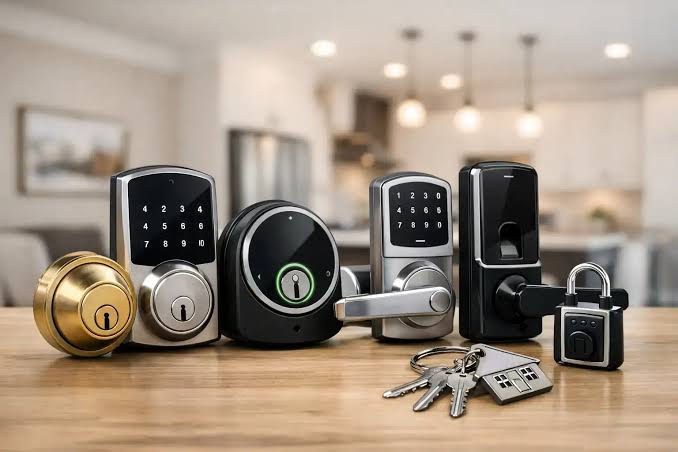
Losing keys, getting locked out, or making a copy for a dog-sitter every time you go on vacation — a smart lock quietly solves all three at once, and the technology has gotten reliable enough that “smart lock breaks in a power outage” is mostly a solved problem now (most run on AA batteries with months of backup). The real decision isn’t whether smart locks work; it’s which entry method fits how you actually live. A code pad, a fingerprint reader, an app-only lock, or one that just auto-unlocks when your phone gets close all solve the same problem differently. Below are five current picks spanning recognizable brand names to budget keypad deadbolts, with real Amazon pricing and review counts for each.
By Ugo Daniel, Wallstores
1. Kwikset Halo Wi-Fi Smart Lock — Best Overall
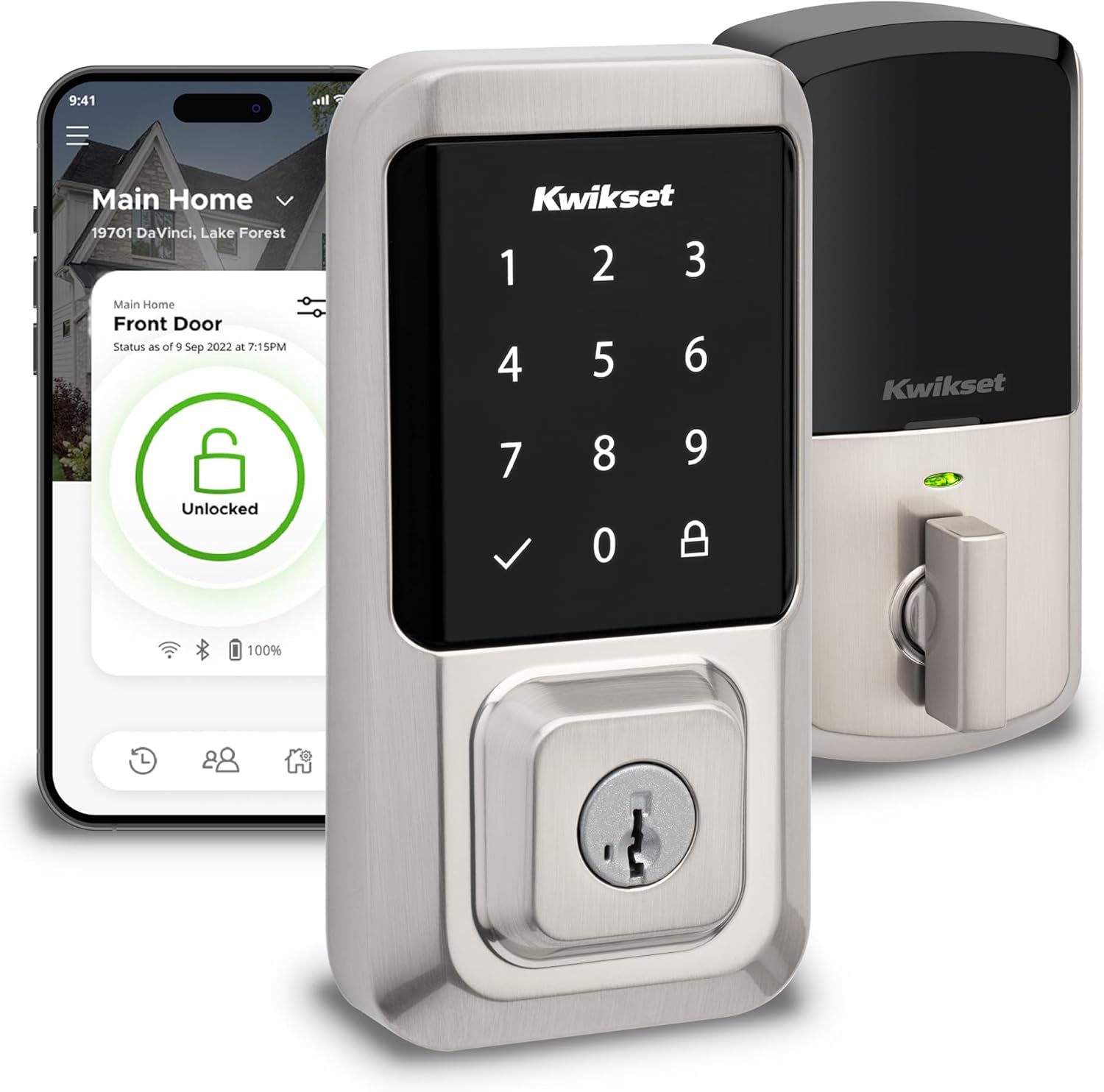 Kwikset is one of the few smart lock brands most people already trust from traditional deadbolts, and the Halo brings that reputation to a genuinely well-built Wi-Fi lock — no separate hub required, since it connects straight to your home network. Geofence auto-unlock means it can sense your phone approaching and unlock before you reach the door, and the AAA-grade security certification puts it ahead of a lot of budget competitors on actual break-in resistance. Setup and touchscreen responsiveness get mixed feedback in some reviews, which is reflected in a rating that trails a couple of the picks below. Still, with over 7,300 ratings, it’s the most proven option here for someone who wants a name-brand lock without complications. It holds a 3.9-star average across 7,300+ Amazon ratings.
Pros: No hub required, connects directly to Wi-Fi, Geofence auto-unlock, Grade AAA security certification, Trusted, established lock brand.
Cons: Touchscreen responsiveness gets mixed reviews, Setup reported as fiddly by some buyers.
2. ULTRALOQ Bolt SE Wi-Fi — Best Value
 With over 10,300 Amazon ratings and a 4.3-star average, the Bolt SE is quietly one of the best-reviewed smart locks available at any price, not just at its own. It supports Matter over Thread, meaning it plays natively with modern smart home ecosystems without needing ULTRALOQ’s own hub for basic app control, and remote access works reliably for granting temporary codes to guests. At under $90 it undercuts the Kwikset Halo by more than $100 while posting a higher rating. The tradeoff is brand recognition — ULTRALOQ doesn’t have Kwikset’s decades of traditional-lock reputation, though the review volume here suggests that’s not holding buyers back. It carries a 4.3-star average across 10,300+ Amazon ratings.
Pros: Matter over Thread compatibility, Excellent review volume and rating, Significantly cheaper than name-brand competitors, Reliable app-based remote access.
Cons: Less brand recognition than Kwikset or Schlage, Full smart home integration benefits from ULTRALOQ’s own hub.
3. ULTRALOQ U-Bolt Pro WiFi — Best Fingerprint + App
 If you want a genuine fingerprint reader rather than just a code pad, the U-Bolt Pro is the pick: it combines biometric unlock, a door sensor for ajar/closed status, and full app remote control in one lock. With 6,300+ ratings and a 4.2-star average, it’s proven itself across a large user base. Fingerprint readers on smart locks can be hit-or-miss in cold or wet weather, and ULTRALOQ’s is no exception in occasional reviews, but most buyers report it working reliably for daily use. For households where multiple people need fast, code-free entry, this covers that better than a keypad-only lock. It holds a 4.2-star average across 6,300+ Amazon ratings.
Pros: Built-in fingerprint reader, Door ajar/closed sensor included, Large, reassuring review base, Full remote app control.
Cons: Fingerprint reliability can dip in extreme weather, Mid-pack pricing among the picks here.
4. TEEHO TE001 Keypad Deadbolt — Best Budget
 Not every smart lock needs Wi-Fi or an app — sometimes a reliable keypad that skips your key ring entirely is the whole ask, and the TEEHO TE001 nails that at under $36. It’s a standalone electronic deadbolt: no app, no hub, no subscription, just a code pad and a backup key. That simplicity is exactly why it has over 10,700 Amazon ratings at a 4.5-star average, among the highest of any lock on this list. It won’t give you remote access or usage logs, but if all you want is to stop worrying about physical keys for a rental property or a side door, it’s the easiest, cheapest way in. It carries a 4.5-star average across 10,700+ Amazon ratings.
Pros: Lowest price of any pick here, No app, hub, or subscription needed, Excellent rating with a huge review base, Simple, reliable keypad entry.
Cons: No remote access or smartphone control, No usage history or guest code scheduling.
5. Schlage Encode Plus Smart WiFi Deadbolt — Best Premium
 Schlage is the other major traditional lock brand making a serious smart-lock push, and the Encode Plus adds Apple Home Key support — tap-to-unlock with an iPhone or Apple Watch, no app needed — on top of standard Wi-Fi connectivity and a built-in alarm that can detect tampering or forced entry attempts. Build quality feels a notch above the budget options here, consistent with Schlage’s traditional-lock reputation. At nearly $300 it’s the most expensive lock on this list, and with 1,100 ratings it has a smaller review base than the ULTRALOQ or TEEHO picks, though its 4.0-star average holds up well for a lock in this price bracket. For Apple households who want the smoothest possible tap-to-unlock experience, it’s worth the premium. It holds a 4.0-star average across 1,100+ Amazon ratings.
Pros: Apple Home Key tap-to-unlock support, Built-in tamper/forced-entry alarm, Premium build quality, Trusted traditional lock brand.
Cons: Most expensive lock on this list, Smaller review base than budget competitors.
Quick Comparison
| Product | Entry Method | Price | Rating | |
|---|---|---|---|---|
| Kwikset Halo | Wi-Fi, geofence | $199.00 | 3.9/5 (7.3K) | Amazon → |
| ULTRALOQ Bolt SE | Wi-Fi, Matter | $89.99 | 4.3/5 (10.3K) | Amazon → |
| ULTRALOQ U-Bolt Pro | Fingerprint, app | $169.99 | 4.2/5 (6.3K) | Amazon → |
| TEEHO TE001 | Keypad only | $35.99 | 4.5/5 (10.7K) | Amazon → |
| Schlage Encode Plus | Wi-Fi, Apple Home Key | $297.09 | 4.0/5 (1.1K) | Amazon → |
How we research: Every price, star rating, and review count above is pulled from each product’s live Amazon listing and matched against the manufacturer’s spec sheet before publishing. We’re not compensated by any of these lock brands, and we don’t claim to have installed each lock ourselves — this comparison is built from verified specs and real buyer feedback.
Related Guides
Ugo Daniel researches, compares, and writes the buying guides on Wallstores, cross-checking manufacturer specs, verified pricing, and real customer feedback across tech, home, fitness, and pet categories. He’s personally bought and used many of the kitchen appliances featured on the site, and draws on that firsthand experience in those reviews.