
How We Choose the Products We Recommend
We don’t have a warehouse full of gear to physically put through its paces — what we do instead is disciplined research. For every guide, we start with the manufacturer’s published specifications and compare them directly against competing models in the same price range. We track real, current pricing across retailers, not list prices that never actually apply, so the numbers in our comparisons reflect what you’d actually pay today. And we read, in bulk, through verified customer reviews and independent expert coverage for each product, looking for recurring complaints, common praise, and the patterns a single glossy product page won’t tell you.
Where we’ve personally bought and used a product ourselves — currently true for many of the kitchen items we cover — we say so directly in the review, and that firsthand experience shapes what we highlight. For everything else, our pros-and-cons calls come from that cross-referenced research process, not a single source or a rewritten spec sheet. We revisit guides periodically as prices shift and new models launch, and we link to multiple retailers where possible so you’re not stuck with just one option.

Ugo Daniel researches, compares, and writes the buying guides on Wallstores, cross-checking manufacturer specs, verified pricing, and real customer feedback across tech, home, fitness, and pet categories. He’s personally bought and used many of the kitchen appliances featured on the site, and draws on that firsthand experience in those reviews.
Consumer 3D printing had a real breakout in 2026, driven almost entirely by affordable multicolor machines that do the hard part — filament switching, calibration, bed leveling — automatically. We looked at what’s actually selling well and rated well on Amazon right now, from a $199 single-color beginner machine up to a $1,199 large-format multicolor flagship, to find the right printer for every budget.
| Product | Price | Rating | Best For |
|---|---|---|---|
| Creality Ender-3 V3 SE | $199.00 | 4.0/5 | Cheapest way in, single color |
| ELEGOO Centauri 2 Combo | $329.00 | 4.0/5 | Beginner multicolor |
| ELEGOO Centauri Carbon 2 Combo | $399.00 | 4.0/5 | Overall pick / best value |
| Creality K2 Combo | $599.00 | 4.4/5 | Speed & AI monitoring |
| Creality K2 Plus Combo | $1,199.00 | 4.2/5 | Large-format flagship |
Creality Ender-3 V3 SE — Cheapest Way In

Price: $199.00 · Rating: 4.0/5 (799 ratings)
Why we selected it: The Ender-3 line is the most recognizable name in budget 3D printing, and the V3 SE adds auto-leveling and a direct-drive extruder that earlier Ender-3 models lacked.
Who it’s for: First-time printers who want to learn the fundamentals (slicing, supports, bed adhesion) before spending more. Who should avoid it: Anyone who wants multicolor prints out of the box — this is single-color only.
Pros:
- Lowest price in this roundup
- Auto leveling removes the most common beginner frustration
- Huge community, parts, and tutorial support
Cons:
- No multicolor/AMS system
- No enclosure or chamber heating
- Smaller build volume than the Combo machines
Important specifications:
- 250mm/s print speed, 2500mm/s² acceleration
- CR Touch auto bed leveling with auto Z-offset
- Sprite direct drive extruder (PLA, PETG, TPU)
- Dual Z-axis lead screws for reduced wobble
- 32-bit silent mainboard
- Single-color FDM, no AMS/CFS unit
How it compares with alternatives: It’s the entry point below everything else here — step up to the Centauri 2 Combo as soon as multicolor printing matters to you.
What type of buyer should choose it: Total beginners who want to learn the hobby cheaply before committing more money.
ELEGOO Centauri 2 Combo — Beginner Multicolor

Price: $329.00 · Rating: 4.0/5 (2,616 ratings)
Why we selected it: It brings 4-color printing, full auto calibration, and 22 onboard sensors to a sub-$350 price — multicolor printing used to cost much more than this.
Who it’s for: Hobbyists who want colorful prints without a steep learning curve. Who should avoid it: Anyone who regularly needs more than 4 colors or a larger build volume.
Pros:
- Genuinely beginner-friendly automated setup
- Fast CoreXY motion system
- 5-inch touchscreen and app-based remote control
Cons:
- Capped at 4 simultaneous colors
- 2.6K ratings average out to 4.0 stars — check recent Q&A for known issues
Important specifications:
- 4-color printing via CANVAS system
- CoreXY motion, up to 500mm/s, 20,000mm/s² acceleration
- Full auto calibration + 22 onboard sensors
- 350°C nozzle, engineering-filament capable
- 5-inch touchscreen, ELEGOO Matrix app remote control
- 256x256x256mm build volume (shared w/ Carbon 2)
How it compares with alternatives: It’s essentially the previous generation of the Centauri Carbon 2 below — nearly identical hardware, $70 cheaper, same color cap.
What type of buyer should choose it: Budget-conscious buyers who still want multicolor printing done right.
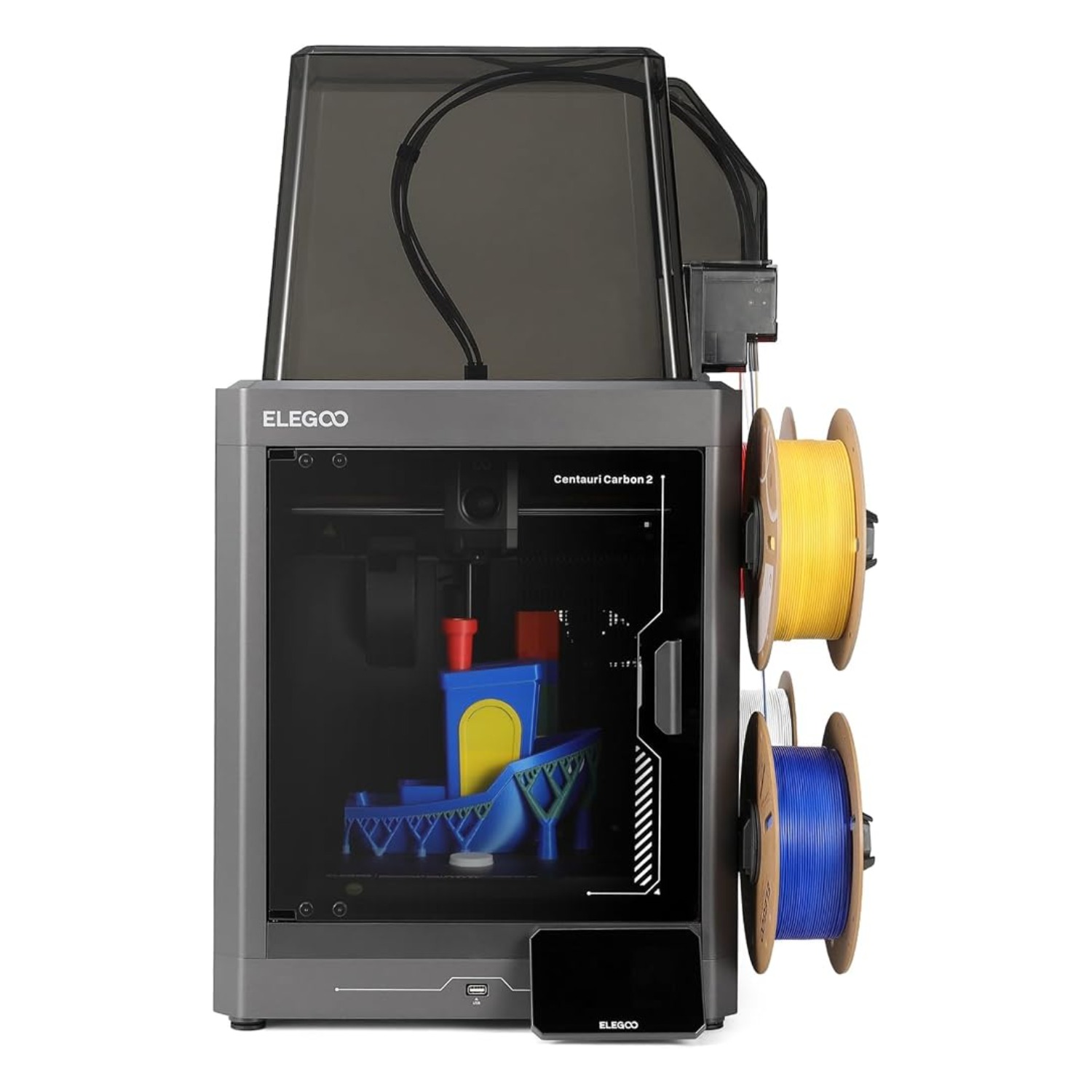
ELEGOO Centauri Carbon 2 Combo — Overall Pick / Best Value

Price: $399.00 · Rating: 4.0/5 (2,616 ratings)
Why we selected it: The Centauri Carbon 2 is ELEGOO’s refined multicolor machine — same core as the Centauri 2 but with smarter filament/tangle detection and better vibration compensation, at a price that still undercuts Creality’s combo machines by $200+.
Who it’s for: Hobbyists and small creators who want reliable, largely hands-off multicolor printing. Who should avoid it: Professionals needing more than 4 colors, a bigger build volume, or active chamber heating for engineering filaments.
Pros:
- Best price-to-feature ratio in this roundup
- Smart filament detection and auto-refill reduce failed prints
- Active vibration compensation for cleaner surfaces
Cons:
- Still a 4-color cap, same as the cheaper Centauri 2
- 256mm³ build volume is mid-pack, not large-format
- No active chamber heating for high-temp engineering filaments
Important specifications:
- 4-color printing with instant switching + smart filament/tangle detection
- CoreXY, up to 500mm/s, 20,000mm/s² acceleration
- Fully automated calibration and print monitoring
- 350°C nozzle for engineering-grade filaments
- Active vibration compensation for smoother surfaces
- 256x256x256mm build volume
How it compares with alternatives: It undercuts the Creality K2 Combo by $200 while covering most of the same ground for typical hobbyist use; step up to the K2 Combo if you specifically need the AI failure-detection camera or a larger build area.
What type of buyer should choose it: This guide’s default recommendation — the best all-around value for most buyers.
Creality K2 Combo — Best for Speed & AI Monitoring

Price: $599.00 · Rating: 4.4/5 (3,963 ratings)
Why we selected it: A 4.4-star average across nearly 4,000 ratings is the strongest review record in this roundup, backed by genuinely useful extras like a chamber AI camera that watches for failed prints.
Who it’s for: Buyers who print unattended often and want a machine that can flag problems before wasting filament. Who should avoid it: Anyone on a tight budget — it’s $200+ more than the Centauri Carbon 2.
Pros:
- Best review record of any printer in this roundup
- Up to 16-color printing with the CFS unit
- AI camera catches spaghetti failures and idle prints automatically
Cons:
- Noticeably pricier than the ELEGOO combo machines
- Larger footprint to accommodate the CFS unit
Important specifications:
- Up to 16-color printing with CFS
- 600mm/s speed, 20,000mm/s³ acceleration, 3 step-servo motors
- Chamber AI camera (spaghetti/failure detection)
- 80W high-flow hotend, up to 300°C, hardened steel nozzle tip
- 10.24×10.24×10.24-inch build volume
- Aerospace aluminum alloy Matrix frame
How it compares with alternatives: It beats the Centauri Carbon 2 on speed, color count, and failure monitoring, but costs significantly more for those extras — see our full head-to-head for the details.
What type of buyer should choose it: Buyers who print often, unattended, and want fewer failed jobs.
Creality K2 Plus Combo — Large-Format Flagship

Price: $1,199.00 · Rating: 4.2/5 (3,791 ratings)
Why we selected it: At 350mm³, it has the largest build volume in this roundup by a wide margin, plus dual AI cameras and active chamber heating for engineering-grade filaments like ASA and PPA.
Who it’s for: Makers printing large single objects or big batches who’ve outgrown a standard-size bed. Who should avoid it: Anyone without the desk space or budget for a $1,199 machine — this is a serious investment.
Pros:
- Largest build volume here by far
- Active 60°C chamber heating unlocks more demanding filaments
- Dual AI cameras plus 18 total smart sensors
Cons:
- By far the most expensive option in this roundup
- Overkill for anyone printing small, everyday objects
- Needs real desk/shelf space to accommodate its size
Important specifications:
- Up to 16-color printing, 4 CFS units with RFID auto filament ID
- 13.78×13.78×13.78-inch (350mm³) build volume
- 600mm/s speed, 30,000mm/s² acceleration, FOC step-servo motors
- Active 60°C chamber heating for ASA/PPA filaments
- Dual AI cameras (chamber + toolhead flow monitoring)
- Dual independently-motorized Z-axis, 18 smart sensors
How it compares with alternatives: It’s a different class of machine from everything else here — only worth the jump if build volume or engineering filaments are a real requirement, not a nice-to-have.
What type of buyer should choose it: Serious hobbyists and small businesses printing large or high-temperature parts regularly.
What to Consider Before Buying
Most people are best served by the Centauri Carbon 2 — it covers multicolor printing, auto calibration, and solid build quality without the jump to Creality’s combo pricing. Only step up to the K2 Combo or K2 Plus if unattended-print monitoring, higher speed, or a genuinely larger build volume matters for what you actually print.
Related Guides
- Best 3D Printers for Every Budget in 2026
- ELEGOO Centauri Carbon 2 vs. Creality K2 Combo: Which 3D Printer Wins?
- ELEGOO Centauri Carbon 2 Combo Review: Is It Worth $400 in 2026?
- 5 Best Alternatives to the ELEGOO Centauri Carbon 2 in 2026
- What to Consider Before Buying a 3D Printer: A Complete Guide
Ugo Daniel researches, compares, and writes the buying guides on Wallstores, cross-checking manufacturer specs, verified pricing, and real customer feedback across tech, home, fitness, and pet categories. He’s personally bought and used many of the kitchen appliances featured on the site, and draws on that firsthand experience in those reviews.