
How We Choose the Products We Recommend
We don’t have a warehouse full of gear to physically put through its paces — what we do instead is disciplined research. For every guide, we start with the manufacturer’s published specifications and compare them directly against competing models in the same price range. We track real, current pricing across retailers, not list prices that never actually apply, so the numbers in our comparisons reflect what you’d actually pay today. And we read, in bulk, through verified customer reviews and independent expert coverage for each product, looking for recurring complaints, common praise, and the patterns a single glossy product page won’t tell you.
Where we’ve personally bought and used a product ourselves — currently true for many of the kitchen items we cover — we say so directly in the review, and that firsthand experience shapes what we highlight. For everything else, our pros-and-cons calls come from that cross-referenced research process, not a single source or a rewritten spec sheet. We revisit guides periodically as prices shift and new models launch, and we link to multiple retailers where possible so you’re not stuck with just one option.

Ugo Daniel researches, compares, and writes the buying guides on Wallstores, cross-checking manufacturer specs, verified pricing, and real customer feedback across tech, home, fitness, and pet categories. He’s personally bought and used many of the kitchen appliances featured on the site, and draws on that firsthand experience in those reviews.
Consumer 3D printers in 2026 mostly compete on how much manual work they remove from a hobby that used to require constant tinkering. Here’s what actually matters when picking one.
1. Multicolor (AMS/CFS) or Single Color?
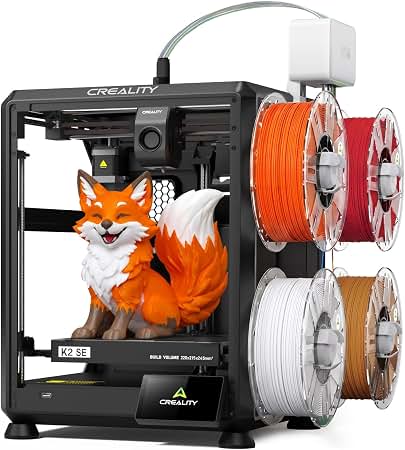
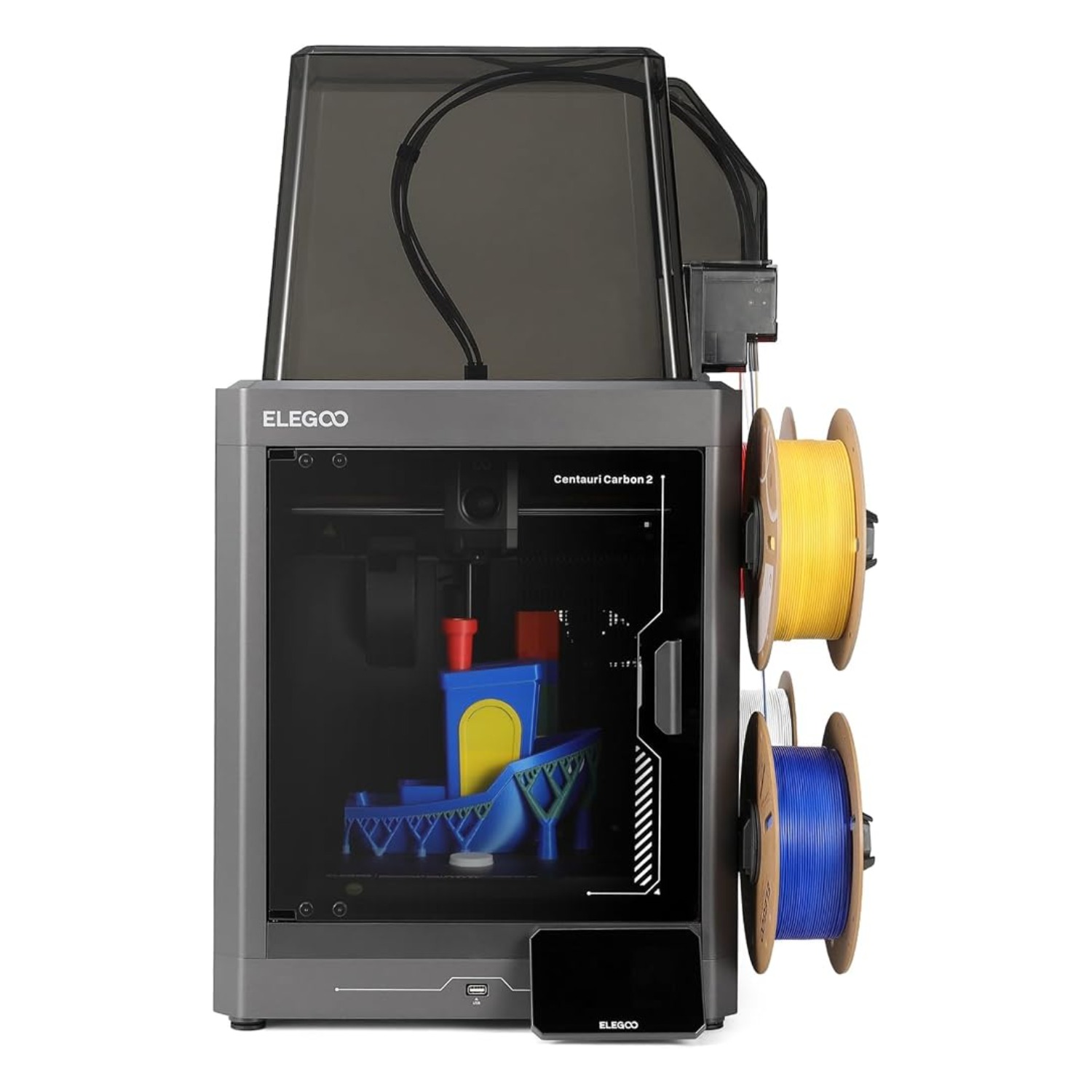
If you only ever print single-color functional parts, a machine like the Ender-3 V3 SE saves you $130-1000 versus a multicolor combo machine. If colorful prints matter, budget for a printer with a dedicated multicolor unit (ELEGOO’s CANVAS, Creality’s CFS) rather than trying to add one later.
2. Build Volume
Most hobbyist combo machines in 2026 sit around 256mm³. That’s plenty for most models, cosplay props, and functional parts, but if you print large single pieces (helmets, enclosures, furniture hardware) regularly, a large-format machine like the Creality K2 Plus (350mm³) avoids constant model-splitting.
3. Print Speed and Motion System
CoreXY motion systems (used by both ELEGOO Centauri machines and Creality’s K2 line) move faster and more precisely than older bedslinger designs like the Ender-3. Rated speeds of 500-600mm/s are now common in this price range — real-world speed depends heavily on the model’s geometry and your slicer settings.
4. Auto Leveling and Calibration
Every printer in this guide includes some form of automatic bed leveling, which eliminates the single biggest beginner frustration in 3D printing. The combo machines go further with full automated calibration sequences before each print.
5. Filament Compatibility and Max Nozzle Temperature
PLA prints fine on any machine here. If you want PETG, ABS, or engineering filaments like ASA or PPA, check the max nozzle temperature (300-350°C across this lineup) and whether the machine has active chamber heating — only the K2 Plus does, which matters for warp-prone high-temp materials.
6. AI Monitoring and Failure Detection
An AI camera that flags a failed print (filament tangle, “spaghetti” errors, bed knocked loose) can save significant filament and time on unattended prints. It’s a genuine value-add on the Creality K2 Combo and K2 Plus, and absent on the cheaper ELEGOO and Ender-3 machines.
7. Noise and Enclosure
None of the machines in this guide ship with a full sound-dampening enclosure by default (some buyers add a third-party enclosure, which also helps temperature stability for ABS/ASA). If noise matters — printing near a bedroom or shared office — factor in an enclosure purchase.
8. Price vs. Features
$199 (Ender-3 V3 SE) buys reliable single-color printing. $329-399 (ELEGOO Centauri 2 / Carbon 2) buys genuinely automated multicolor printing. $599+ (Creality K2 Combo and up) buys AI monitoring, more colors, higher speed, and in the K2 Plus’s case, a genuinely larger build volume and active chamber heating.
Our Picks by Use Case
| If you want… | Get this |
|---|---|
| The cheapest way into the hobby | Creality Ender-3 V3 SE ($199.00) |
| Reliable multicolor printing at the best value | ELEGOO Centauri Carbon 2 Combo ($399.00) |
| Cheaper multicolor than the Carbon 2 | ELEGOO Centauri 2 Combo ($329.00) |
| AI print monitoring and more colors | Creality K2 Combo ($599.00) |
| The largest build volume and chamber heating | Creality K2 Plus Combo ($1,199.00) |
Related Guides
- Best 3D Printers for Every Budget in 2026
- ELEGOO Centauri Carbon 2 vs. Creality K2 Combo: Which 3D Printer Wins?
- ELEGOO Centauri Carbon 2 Combo Review: Is It Worth $400 in 2026?
- 5 Best Alternatives to the ELEGOO Centauri Carbon 2 in 2026
- What to Consider Before Buying a 3D Printer: A Complete Guide
Ugo Daniel researches, compares, and writes the buying guides on Wallstores, cross-checking manufacturer specs, verified pricing, and real customer feedback across tech, home, fitness, and pet categories. He’s personally bought and used many of the kitchen appliances featured on the site, and draws on that firsthand experience in those reviews.