
How We Choose the Products We Recommend
We don’t have a warehouse full of gear to physically put through its paces — what we do instead is disciplined research. For every guide, we start with the manufacturer’s published specifications and compare them directly against competing models in the same price range. We track real, current pricing across retailers, not list prices that never actually apply, so the numbers in our comparisons reflect what you’d actually pay today. And we read, in bulk, through verified customer reviews and independent expert coverage for each product, looking for recurring complaints, common praise, and the patterns a single glossy product page won’t tell you.
Where we’ve personally bought and used a product ourselves — currently true for many of the kitchen items we cover — we say so directly in the review, and that firsthand experience shapes what we highlight. For everything else, our pros-and-cons calls come from that cross-referenced research process, not a single source or a rewritten spec sheet. We revisit guides periodically as prices shift and new models launch, and we link to multiple retailers where possible so you’re not stuck with just one option.

Ugo Daniel researches, compares, and writes the buying guides on Wallstores, cross-checking manufacturer specs, verified pricing, and real customer feedback across tech, home, fitness, and pet categories. He’s personally bought and used many of the kitchen appliances featured on the site, and draws on that firsthand experience in those reviews.
Last updated: October 2026 · Written by Ugo Daniel
A good webcam makes the single biggest difference to how you look on video calls of any upgrade you can buy — more than lighting, more than a new laptop. We compared four current models, from Logitech’s long-running C920x workhorse to Insta360’s AI-tracking Link 2, using verified Amazon pricing and review data for each.
How we research this guide: every price, rating, and review count below comes directly from each product’s live Amazon listing at the time of writing, cross-checked against the manufacturer’s spec sheet. We don’t accept free review units from these brands, and we don’t claim to have tested each webcam ourselves — this is a comparison of verified specs and real buyer feedback, not a hands-on test.
Quick Comparison
| Product | Best For | Price | Rating | |
|---|---|---|---|---|
| Logitech C920x HD Pro Webcam | Best Overall | $74.90 | 4.6/5 (22K) | See Price on Amazon → |
| Logitech Brio 101 | Best Budget | $36.99 | 4.4/5 (7.9K) | See Price on Amazon → |
| Insta360 Link 2 | Best AI Tracking | $149.99 | 4.6/5 (1.5K) | See Price on Amazon → |
| Razer Kiyo V2 X | Best for Streaming | $94.54 | 4.3/5 (199) | See Price on Amazon → |
1. Logitech C920x HD Pro Webcam — Best Overall

Why we selected it: With over 22,000 ratings and a 4.6-star average, it’s the most proven webcam on this list — a design Logitech has refined for close to a decade.
Who it’s for: Buyers who want the single most trusted, widely-recommended webcam for everyday video calls and light streaming.
Who should avoid it: Buyers who specifically want AI auto-framing or 4K — the C920x tops out at 1080p and has no auto-tracking.
Pros: Huge, trusted review base • Sharp, reliable 1080p/30fps image • Simple plug-and-play setup • Widely compatible with Zoom, Teams, and streaming software.
Cons: No AI tracking or auto-framing • 1080p only, no 4K option.
Important specs: 1080p/30fps, built-in stereo mic, universal clip mount
What type of buyer should choose it: Best for buyers who want the most proven, no-fuss webcam for calls and meetings.
2. Logitech Brio 101 — Best Budget

Why we selected it: At under $37 with nearly 7,900 ratings at a 4.4-star average, it’s Logitech’s own budget option — proof that you don’t need to spend $75+ to get a reliable 1080p webcam.
Who it’s for: Buyers who mainly need a reliable upgrade from a laptop’s built-in camera without spending much.
Who should avoid it: Buyers who want the sharper, more established C920x image quality — the Brio 101 is a step down in lens quality.
Pros: Lowest price on this list • Still a trusted Logitech build • Simple USB plug-and-play • Solid review base for the price.
Cons: Lens quality a step below the C920x • No advanced features like AI tracking.
Important specs: 1080p, built-in mic, USB plug-and-play
What type of buyer should choose it: Best for buyers who want a reliable, no-frills upgrade at the lowest price.
3. Insta360 Link 2 — Best AI Tracking

Why we selected it: It’s a motorized PTZ webcam that uses AI to physically track and frame you as you move, with a 4.6-star average across 1,500+ ratings — genuinely different from a fixed-lens webcam.
Who it’s for: Presenters, teachers, and streamers who move around on camera and want to stay perfectly framed automatically.
Who should avoid it: Buyers who just sit still for calls — the motorized tracking is wasted if you don’t move.
Pros: AI auto-framing and gesture control • 4K sensor • HDR support • AI noise-canceling mic.
Cons: Most expensive option on this list • Smaller review base than the Logitech models.
Important specs: 4K sensor, motorized PTZ, AI tracking, HDR, noise-canceling mic
What type of buyer should choose it: Best for buyers who move around on camera and want automatic framing.
4. Razer Kiyo V2 X — Best for Streaming
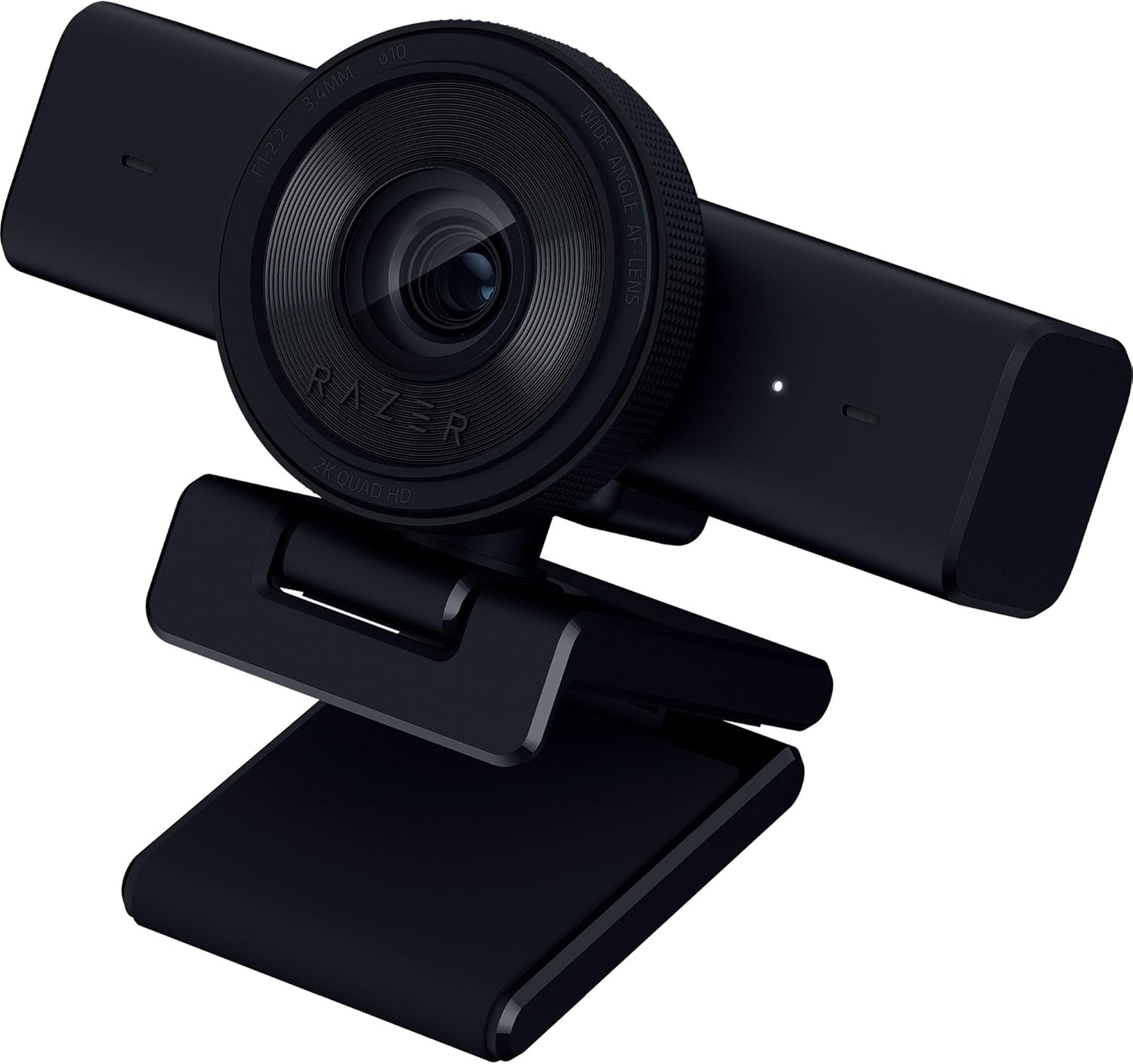
Why we selected it: It shoots 1440p at up to 60fps — a genuinely higher resolution and frame rate than any other webcam on this list — built specifically with streamers in mind.
Who it’s for: Twitch and YouTube streamers who want sharper, smoother motion than a typical 1080p/30fps webcam.
Who should avoid it: Buyers who just want basic video calls — the extra resolution and frame rate go unused outside of streaming.
Pros: Highest resolution and frame rate here (1440p/60fps) • Purpose-built for streaming • Clean, minimal design.
Cons: Smallest review base on this list • Pricier than the Logitech C920x for a narrower use case.
Important specs: 1440p/60fps, USB, streaming-focused design
What type of buyer should choose it: Best for buyers who stream and want sharper, smoother video than standard 1080p webcams offer.
How to Pick Between These Four
If you want the single most proven option for everyday calls, the Logitech C920x’s decade-long track record is hard to argue with. On a tight budget, the Brio 101 gets you a reliable Logitech webcam for under $37. If you move around while presenting or teaching, the Insta360 Link 2’s AI tracking is a genuinely different experience from a fixed-lens camera. And if you stream, the Razer Kiyo V2 X’s 1440p/60fps output is noticeably sharper and smoother than standard webcams.
What to Consider Before Buying a Webcam
Resolution and frame rate matter most for streaming and content creation — 1080p/30fps is plenty for video calls, but 1440p/60fps looks noticeably better for recorded or streamed content. Auto-framing and AI tracking are worth paying for only if you actually move around on camera; if you sit still, a fixed-lens webcam does the same job for less. Built-in microphone quality varies more than people expect — if you’re on calls all day, a webcam with a genuinely good mic can mean skipping a separate microphone purchase entirely. Finally, check your software compatibility: all four options here work with major platforms like Zoom, Teams, and OBS, but always confirm before buying if you use a niche app.
Related Guides
Ugo Daniel researches, compares, and writes the buying guides on Wallstores, cross-checking manufacturer specs, verified pricing, and real customer feedback across tech, home, fitness, and pet categories. He’s personally bought and used many of the kitchen appliances featured on the site, and draws on that firsthand experience in those reviews.