
How We Choose the Products We Recommend
We don’t have a warehouse full of gear to physically put through its paces — what we do instead is disciplined research. For every guide, we start with the manufacturer’s published specifications and compare them directly against competing models in the same price range. We track real, current pricing across retailers, not list prices that never actually apply, so the numbers in our comparisons reflect what you’d actually pay today. And we read, in bulk, through verified customer reviews and independent expert coverage for each product, looking for recurring complaints, common praise, and the patterns a single glossy product page won’t tell you.
Where we’ve personally bought and used a product ourselves — currently true for many of the kitchen items we cover — we say so directly in the review, and that firsthand experience shapes what we highlight. For everything else, our pros-and-cons calls come from that cross-referenced research process, not a single source or a rewritten spec sheet. We revisit guides periodically as prices shift and new models launch, and we link to multiple retailers where possible so you’re not stuck with just one option.

Ugo Daniel researches, compares, and writes the buying guides on Wallstores, cross-checking manufacturer specs, verified pricing, and real customer feedback across tech, home, fitness, and pet categories. He’s personally bought and used many of the kitchen appliances featured on the site, and draws on that firsthand experience in those reviews.
Last updated: September 2026
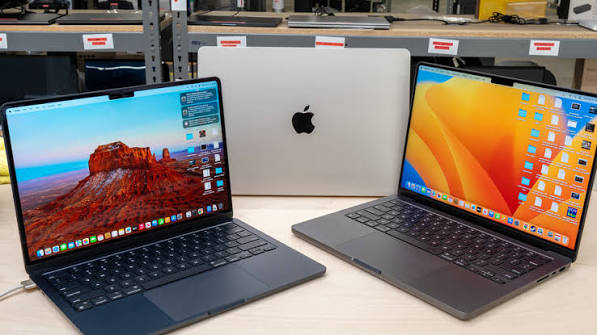
Apple’s MacBook lineup got more complicated in 2026, not less. Alongside the familiar MacBook Air and MacBook Pro, Apple introduced the MacBook Neo, a genuinely new entry-level laptop built around an iPhone-grade A18 Pro chip instead of a Mac-class M-series processor. That means the which-MacBook-should-I-buy question now has real budget, mid-range, and pro-tier answers instead of just different screen sizes. We broke down four current models, one from each tier, so you can match your budget and workload to the right machine instead of overpaying for power you’ll never use.
Quick Comparison
| Product | Best For | Price | Chip | |
|---|---|---|---|---|
| MacBook Neo (13-inch, A18 Pro) | Best Budget | $679.00 | A18 Pro chip | See Price on Amazon → |
| MacBook Air 13-inch (M5) | Best Overall | $1,299 | M5 chip | See Price on Amazon → |
| MacBook Pro 14-inch (M5 Pro) | Best for Pro Work | $2,349.00 | M5 Pro chip | See Price on Amazon → |
| MacBook Pro 16-inch (M5 Max) | Best for Power Users | $4,677.50 | M5 Max chip | See Price on Amazon → |
1. MacBook Neo (13-inch, A18 Pro) — Best Budget
 The MacBook Neo is Apple’s answer to years of demand for a genuinely cheap Mac, and it delivers on price at $679, undercutting the MacBook Air by hundreds of dollars. Built around the A18 Pro chip normally found in iPhones, it’s plenty fast for web browsing, email, streaming, and light document work, and the 13-inch Liquid Retina display, 16-hour battery life, and fun color options (Silver, Blush, Citrus, Indigo) make it feel more premium than its price suggests. The catches are real: a fixed 8GB of unified memory that can’t be upgraded, only two USB-C ports, and noticeably less horsepower than any M-series Mac for photo editing or heavy multitasking. It’s a great secondary laptop, student machine, or first Mac, but not one to grow into. On Amazon, it carries a 4.6-star average across more than 1,300 ratings.
Pros: Lowest entry price into macOS ever, Good battery life and portability, Fun, distinct color options, Fine for browsing, email, and streaming.
Cons: Fixed 8GB memory, no upgrades, Noticeably underpowered for creative work.
2. MacBook Air 13-inch (M5) — Best Overall
 The M5 MacBook Air is still the MacBook most people should actually buy. It’s thin, silent thanks to its fanless design, and the M5 chip comfortably handles everyday work, photo editing, and even light video editing, all while delivering close to 18 hours of real-world battery life. The 13.6-inch Liquid Retina display looks great for the price tier, and base storage was doubled to 512GB this generation, fixing a long-standing complaint. Apple’s official starting price climbed to $1,299 amid industry-wide memory chip shortages, though Amazon regularly discounts it back toward $999-$1,099. It’s not built for sustained heavy workloads like 4K video rendering, where the fanless design throttles under pressure, but for students, professionals, and everyday users it hits the best balance of price, power, and portability in Apple’s lineup. It holds a 4.7-star average across more than 1,000 Amazon ratings.
Pros: Excellent everyday performance in a fanless design, Long, all-day battery life, 512GB base storage, Frequently discounted well below MSRP.
Cons: Official price rose sharply in 2026, Throttles under sustained heavy workloads.
3. MacBook Pro 14-inch (M5 Pro) — Best for Pro Work
 Step up to the 14-inch MacBook Pro with M5 Pro and you get the machine most working creative and technical professionals actually need: a brighter, higher-contrast Liquid Retina XDR display, active cooling that sustains performance through long renders and builds, more ports including HDMI and an SD card slot, and a noticeably faster GPU for video editing and 3D work than the Air offers. Battery life remains strong despite the extra power on tap. At roughly $2,349 to start, it’s a serious jump in price over the Air, and casual users simply won’t use most of what it offers. But for video editors, developers, and anyone running demanding pro apps daily, the sustained performance and that XDR display justify the cost. It carries a 4.7-star average on Amazon, based on 177 ratings so far.
Pros: Sustained performance under heavy, long workloads, Bright Liquid Retina XDR display, Full port selection including HDMI and SD, Strong battery life for its power class.
Cons: Significant price jump over the MacBook Air, Overkill for casual, everyday users.
4. MacBook Pro 16-inch (M5 Max) — Best for Power Users
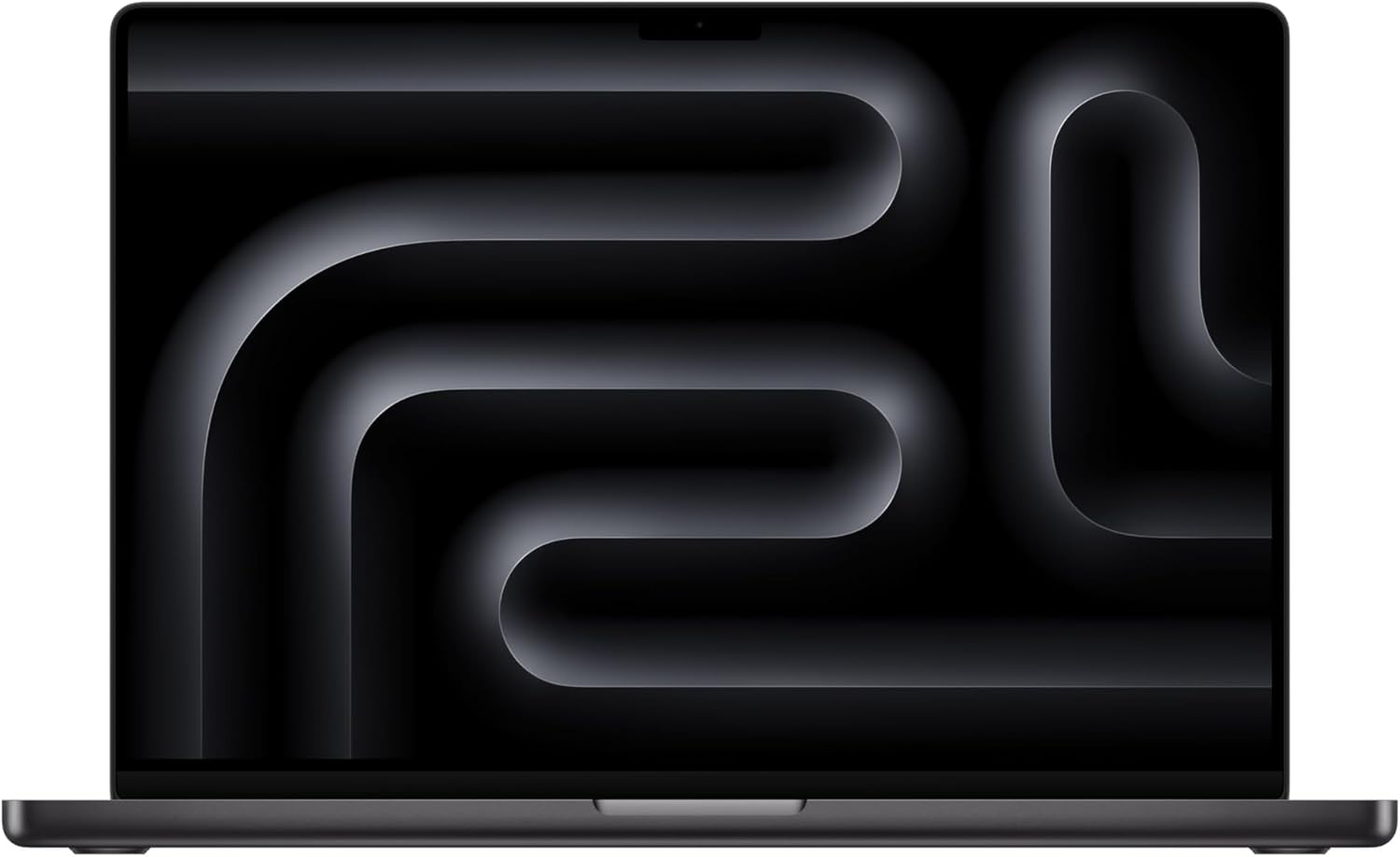 The 16-inch MacBook Pro with M5 Max is Apple’s answer for people who treat a laptop like a desktop replacement: colorists, ML engineers, and anyone juggling massive files across multiple external displays. The larger chassis allows better sustained cooling than the 14-inch model, a bigger battery that still comfortably lasts a full workday under load, and support for far more unified memory for demanding creative and AI workloads. It is genuinely large and heavy to carry daily, and pricing now starts around $4,677 and climbs quickly with configuration, putting it well out of reach for anyone not billing this machine’s cost back to actual work. For studios and power users who need every bit of that performance, though, nothing else in Apple’s lineup comes close. It’s rated 4.4 stars on Amazon, though with only 40 ratings so far given the price point.
Pros: Highest sustained performance in Apple’s lineup, Excellent battery life despite the power, Massive unified memory ceiling for pro workloads, Best display size for detailed creative work.
Cons: Very expensive, especially configured up, Large and heavy for daily carry.
Related Guides
Ugo Daniel researches, compares, and writes the buying guides on Wallstores, cross-checking manufacturer specs, verified pricing, and real customer feedback across tech, home, fitness, and pet categories. He’s personally bought and used many of the kitchen appliances featured on the site, and draws on that firsthand experience in those reviews.