

Disclosure: Wallstores is reader-supported. As an Amazon Associate, we earn from qualifying purchases made through links on this page, at no extra cost to you. Learn more.
How We Choose the Products We Recommend
We don’t have a warehouse full of gear to physically put through its paces — what we do instead is disciplined research. For every guide, we start with the manufacturer’s published specifications and compare them directly against competing models in the same price range. We track real, current pricing across retailers, not list prices that never actually apply, so the numbers in our comparisons reflect what you’d actually pay today. And we read, in bulk, through verified customer reviews and independent expert coverage for each product, looking for recurring complaints, common praise, and the patterns a single glossy product page won’t tell you.
Where we’ve personally bought and used a product ourselves — currently true for many of the kitchen items we cover — we say so directly in the review, and that firsthand experience shapes what we highlight. For everything else, our pros-and-cons calls come from that cross-referenced research process, not a single source or a rewritten spec sheet. We revisit guides periodically as prices shift and new models launch, and we link to multiple retailers where possible so you’re not stuck with just one option.

Ugo Daniel researches, compares, and writes the buying guides on Wallstores, cross-checking manufacturer specs, verified pricing, and real customer feedback across tech, home, fitness, and pet categories. He’s personally bought and used many of the kitchen appliances featured on the site, and draws on that firsthand experience in those reviews.
Last updated: September 2026 · Written by Ugo Daniel, founder of Wallstores
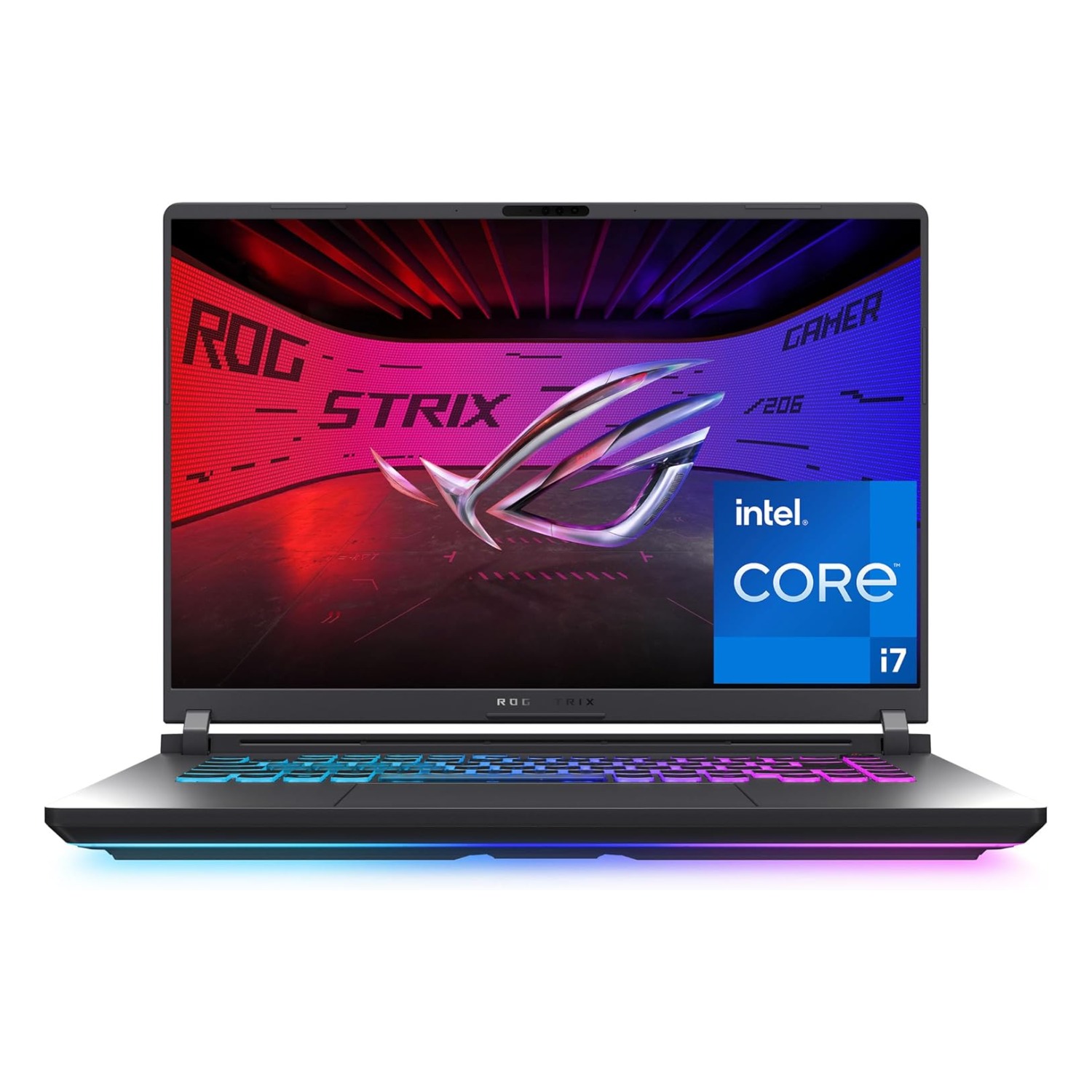
These two 16-inch gaming laptops sit at very different points on the price spectrum. The ASUS ROG Strix G16 is a well-established, well-reviewed mid-to-high-end gaming laptop with nearly 600 verified Amazon ratings. The Razer Blade 16 is Razer’s 2026 flagship — a premium OLED machine with a significantly more powerful GPU and CPU, but it’s brand new enough that it only has 2 Amazon ratings so far. Here’s how they actually compare on specs, price, and who each one is really for.
How we research this guide: every price, rating, and review count below comes directly from each product’s live Amazon listing at the time of writing. We don’t accept free review units from these brands — this is a comparison of verified specs and real buyer feedback, not a hands-on test. Note: the Razer Blade 16 currently has a very small Amazon review sample (2 ratings) — we’re flagging that explicitly rather than treating its 5.0 average as statistically meaningful.
Quick Comparison
| Spec | ASUS ROG Strix G16 | Razer Blade 16 |
|---|---|---|
| Price | $1,574.16 | $3,499.99 |
| GPU | RTX 5060 | RTX 5070 Ti |
| CPU | Intel Core i7-14650HX | Intel Core Ultra 9 386H |
| RAM | 16GB DDR5 | 32GB DDR5 |
| Display | 16in FHD+ 165Hz | 16in QHD+ 240Hz OLED |
| Rating | 4.4/5 (595 ratings) | 5.0 (very small sample) (2 ratings) |
ASUS ROG Strix G16 — Overview

Why we selected it: It has the deepest verified review base of any 16-inch gaming laptop in its class (595 ratings at 4.4 stars) and a well-established ROG track record.
Who it’s for: Gamers who want a proven, well-reviewed 16-inch laptop with a strong CPU (i7-14650HX) at a much lower price than flagship alternatives.
Who should avoid it: Buyers chasing the absolute highest frame rates at QHD+ resolution or who want an OLED display — the Razer beats it on both.
Pros: Roughly $1,900 cheaper than the Razer Blade 16, Large, trustworthy review base, Strong i7-14650HX CPU, Solid 165Hz FHD+ display.
Cons: Less powerful GPU (RTX 5060 vs RTX 5070 Ti), Half the RAM of the Razer (16GB vs 32GB), No OLED option.
Important specifications: RTX 5060, i7-14650HX, 16GB DDR5, 1TB Gen4 SSD, 16in FHD+ 165Hz
Razer Blade 16 — Overview

Why we selected it: It’s Razer’s 2026 flagship with a meaningfully more powerful RTX 5070 Ti GPU, double the RAM, and a 240Hz QHD+ OLED display — the strongest spec sheet of any laptop in our gaming-laptop coverage. We’re flagging up front that it only has 2 Amazon ratings so far, so its 5.0 average isn’t yet statistically meaningful.
Who it’s for: Buyers who want the best available specs in a 16-inch chassis and have the budget to pay a significant premium for them.
Who should avoid it: Budget-conscious buyers, and anyone who wants to buy based on a large, proven review history rather than a brand-new listing.
Pros: Most powerful GPU of any laptop in our comparisons (RTX 5070 Ti), 32GB RAM, 240Hz QHD+ OLED display, Razer’s premium CNC-aluminum build quality.
Cons: More than double the ASUS’s price, Extremely limited review history (2 ratings) to verify real-world reliability, Premium price puts it out of reach for most buyers.
Important specifications: RTX 5070 Ti, Intel Ultra 9 386H, 32GB DDR5, 1TB SSD, 16in QHD+ 240Hz OLED
What the Spec Difference Means in Games
The ASUS’s RTX 5060 is well matched to its 1920×1200 screen. Most current games run smoothly at high settings, especially with NVIDIA’s DLSS upscaling turned on. The Razer’s RTX 5070 Ti is built to drive its sharper 2560×1600 OLED panel at high refresh rates. It has more headroom for demanding new releases, ray tracing, and creative work like 3D rendering or video editing.
In other words, both laptops are balanced for their own screens. The Razer isn’t just faster: it’s driving a much more demanding display.
OLED: What You Gain and What to Know
The Razer’s OLED screen offers true blacks, very high contrast and fast response times, which look excellent in dark game scenes and HDR content. OLED panels can be prone to image retention when static elements stay on screen for very long periods. Modern laptops include protections, and simple habits like hiding the taskbar and using a screen saver help. If you leave the same app on screen all day for work, a traditional IPS display is lower maintenance.
Portability, Build and Support
- Build: Razer’s aluminum chassis is thinner and feels more premium. The ASUS is chunkier but has more room for cooling.
- Carrying it around: both need large power adapters for full gaming performance, and both get short battery life while gaming.
- Warranty: at these prices, check what warranty each listing includes, and consider extended cover for a $3,500 laptop.
Is There a Middle Ground?
If the ASUS feels too basic and the Razer too expensive, laptops with an RTX 5070-class GPU and a QHD+ display usually sit between the two in price. That’s a sensible option if you want sharper visuals without flagship pricing.
Frequently Asked Questions
Is the Razer Blade 16 worth more than twice the price?
Only if you’ll use its strengths: QHD+ gaming at high frame rates, the OLED display, or heavy creative work. For 1080p-class gaming, the ASUS delivers most of the experience for far less.
Can I upgrade the ASUS to match the Razer?
You may be able to add memory or storage, depending on the model, but the GPU and display can’t be upgraded.
How They Compare & Which You Should Buy
On raw specs, the Razer Blade 16 wins clearly — a stronger GPU, double the RAM, and a sharper, faster OLED display. But it costs more than double the ASUS and doesn’t yet have a meaningful amount of verified buyer feedback. The ASUS ROG Strix G16 is the far more proven purchase: nearly 600 ratings at 4.4 stars, at less than half the price. Unless you specifically need the Razer’s top-tier GPU for competitive esports at high frame rates or professional creative work, the ASUS delivers strong 1080p+ gaming performance for a fraction of the cost.
What type of buyer should choose the ASUS: Value-conscious gamers, first-time high-end laptop buyers, anyone who wants a large proven review base before spending.
What type of buyer should choose the Razer: Enthusiasts and professionals with the budget for a flagship machine who prioritize raw GPU/display specs over review history.
Related Guides
Ugo Daniel researches, compares, and writes the buying guides on Wallstores, cross-checking manufacturer specs, verified pricing, and real customer feedback across tech, home, fitness, and pet categories. He’s personally bought and used many of the kitchen appliances featured on the site, and draws on that firsthand experience in those reviews.