
How We Choose the Products We Recommend
We don’t have a warehouse full of gear to physically put through its paces — what we do instead is disciplined research. For every guide, we start with the manufacturer’s published specifications and compare them directly against competing models in the same price range. We track real, current pricing across retailers, not list prices that never actually apply, so the numbers in our comparisons reflect what you’d actually pay today. And we read, in bulk, through verified customer reviews and independent expert coverage for each product, looking for recurring complaints, common praise, and the patterns a single glossy product page won’t tell you.
Where we’ve personally bought and used a product ourselves — currently true for many of the kitchen items we cover — we say so directly in the review, and that firsthand experience shapes what we highlight. For everything else, our pros-and-cons calls come from that cross-referenced research process, not a single source or a rewritten spec sheet. We revisit guides periodically as prices shift and new models launch, and we link to multiple retailers where possible so you’re not stuck with just one option.

Ugo Daniel researches, compares, and writes the buying guides on Wallstores, cross-checking manufacturer specs, verified pricing, and real customer feedback across tech, home, fitness, and pet categories. He’s personally bought and used many of the kitchen appliances featured on the site, and draws on that firsthand experience in those reviews.
Last updated: September 2026
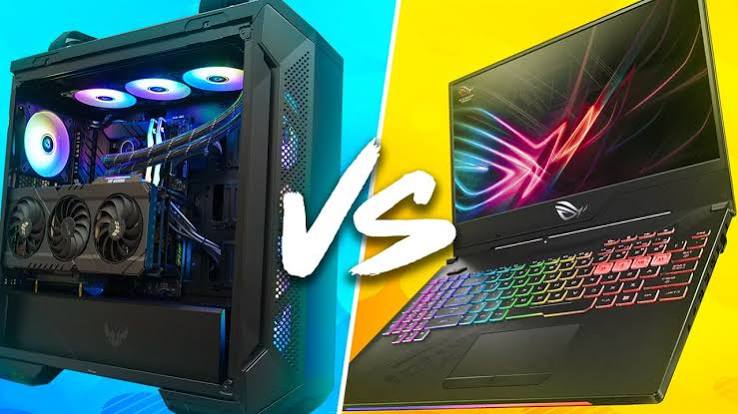
The gaming laptop versus desktop question isn’t really about which is “better” — it’s about which tradeoffs you’re willing to live with. Laptops win on portability: one box holds your CPU, GPU, display, keyboard, and battery, so you can game in the living room or take it to a friend’s house. Desktops win on nearly everything else that compounds over time: a desktop-class GPU of the same name runs at a much higher power limit than its laptop counterpart, cooling is easier to get right in a full-size case, and swapping a GPU, adding RAM, or upgrading storage later is simple. Below are two representative gaming laptops and two representative gaming desktops, one mid-range and one high-end in each category, to show how those tradeoffs play out at different budgets.
Quick Comparison
| Product | Best For | Price | GPU | |
|---|---|---|---|---|
| GIGABYTE Gaming A16 (i7-13620H, RTX 5070 Laptop GPU) | Best Gaming Laptop Value | $1,537.49 | RTX 5070 Laptop GPU | See Price on Amazon → |
| Razer Blade 18 (2026, RTX 5090 Laptop GPU) | Best Gaming Laptop Overall | From $3,499.99 | RTX 5090 Laptop GPU | See Price on Amazon → |
| ASUS ROG G700 (2026) Gaming Desktop (RTX 5070) | Best Gaming Desktop Value | $2,286.59 | RTX 5070 (Desktop) | See Price on Amazon → |
| Corsair Vengeance a7500 (Ryzen 7 9800X3D, Radeon RX 9070 XT) | Best Gaming Desktop Overall | $2,499.99 | RX 9070 XT (Desktop) | See Price on Amazon → |
1. GIGABYTE Gaming A16 (i7-13620H, RTX 5070 Laptop GPU) — Best Gaming Laptop Value
 The Gaming A16 is a good stand-in for what a mid-range gaming laptop actually gets you: a 16-inch, 165Hz WUXGA panel, 32GB of DDR5 RAM, and an RTX 5070 Laptop GPU, all in a chassis you can close and carry. That laptop 5070 is the key tradeoff versus a desktop of the same name (see the desktop RTX 5070 pick below): it runs at a much lower power limit to fit the thermal envelope, so it performs well below the full-power desktop card in sustained gaming loads. Fans get audibly loud under full load, and the CPU and GPU are soldered in, so there’s no upgrade path down the road. What you’re paying for is the all-in-one convenience: no separate monitor or peripherals required. On Amazon, it holds a 4.2-star average across 83 ratings.
Pros: Portable all-in-one gaming rig, Fast 165Hz WUXGA display built in, 32GB RAM handles gaming plus streaming or multitasking.
Cons: Laptop GPU is meaningfully slower than its desktop namesake, Loud fans under sustained load, No upgrade path for GPU or CPU.
2. Razer Blade 18 (2026, RTX 5090 Laptop GPU) — Best Gaming Laptop Overall
 The Blade 18 is about as close as a laptop gets to desktop-class gaming performance, pairing an Intel Core Ultra 9 290HX with the fastest mobile GPU available and a dual-mode 18-inch display that switches between a sharp 240Hz UHD+ mode and a blistering 440Hz FHD+ mode for competitive play. It’s also a clear illustration of the laptop tradeoff at the extreme end: this configuration starts near $3,500 and climbs well past $5,000 fully loaded, runs hot and loud when the GPU is pushed, and its 18-inch chassis is heavy enough that “portable” is relative. A similarly fast desktop costs less and stays cooler, but nothing matches carrying this much power in a laptop you can close and take with you. Razer’s own listing specs the RTX 5090 at a 175W TGP with 25W of Dynamic Boost, plus a dual-mode display that switches between 4K/240Hz and FHD+/440Hz.
Pros: Fastest mobile GPU available, Dual-mode 18-inch display (240Hz UHD+ or 440Hz FHD+), Desktop-class Thunderbolt 5 connectivity.
Cons: Very expensive, especially fully configured, Runs hot and loud under sustained load, Heavy and bulky for a “portable” device.
3. ASUS ROG G700 (2026) Gaming Desktop (RTX 5070) — Best Gaming Desktop Value
 This configuration illustrates the desktop’s raw performance advantage, even at a premium. The ROG G700 pairs a liquid-cooled Intel Core Ultra 7 265KF with a full-power desktop RTX 5070, unthrottled by a laptop’s thermal envelope, so it noticeably outperforms a laptop advertised with the “same” GPU. It ships with 16GB of DDR5 RAM, less than the laptop pick above, so budget for a memory upgrade if you run demanding multitasking alongside games. The tool-less case also means that when a faster GPU launches in two or three years, you can drop it in yourself rather than replacing the whole machine. The catch is the same one every desktop faces: it needs its own monitor, keyboard, and mouse, and it isn’t going anywhere. ASUS’s own listing specs a 58-liter chassis that supports triple-slot GPUs, cooled by a quad-fan system with a 240mm liquid cooler.
Pros: Full-power desktop RTX 5070 outperforms laptop 5070 variants, Tool-less case makes future upgrades easy, Liquid-cooled CPU stays quiet under load.
Cons: Ships with 16GB RAM, less than the laptop pick above, Requires a separate monitor, keyboard, and mouse, Not portable, stays at one desk.
4. Corsair Vengeance a7500 (Ryzen 7 9800X3D, Radeon RX 9070 XT) — Best Gaming Desktop Overall
 At the high end, the desktop advantage compounds. This configuration pairs AMD’s gaming-favorite Ryzen 7 9800X3D with a desktop AMD Radeon RX 9070 XT in a liquid-cooled, tool-less case, delivering flagship 1440p and strong 4K performance for less than an equivalently fast gaming laptop like the Blade 18 above, and with none of the throttling. Note the GPU here is AMD rather than the Nvidia RTX 5070 Ti found in some other Vengeance a7500 configurations, so factor that into ray-tracing and DLSS-dependent titles. Every part, GPU included, is swappable down the line, and Corsair backs it with a two-year warranty. The obvious tradeoff is that it’s furniture: it needs a monitor, peripherals, and a permanent spot on or under your desk. Corsair’s own listing specs a 3500X ARGB mid-tower case with wraparound tempered glass and side, rear, and roof fan cooling.
Pros: Every component, including the GPU, is user-upgradeable, Sustained thermals hold peak clocks far longer than a laptop, Two-year warranty from Corsair.
Cons: AMD GPU rather than the Nvidia RTX 5070 Ti in some other Vengeance a7500 configs, Zero portability, Still a significant upfront cost.
Related Guides
Ugo Daniel researches, compares, and writes the buying guides on Wallstores, cross-checking manufacturer specs, verified pricing, and real customer feedback across tech, home, fitness, and pet categories. He’s personally bought and used many of the kitchen appliances featured on the site, and draws on that firsthand experience in those reviews.